

Activity log
The activity log records changes at your current school: conferences booked, rescheduled and cancelled, time slot edits, batch changes, translator assignments, settings changes and notification emails sent. Use it to answer “who changed this, and when?” Each entry shows when it happened, who did it, what happened and what it happened to, with a details view of the exact changes.
Who this is for
Section titled “Who this is for”Administrators and office staff who need to audit conference activity.
Before you start
Section titled “Before you start”- You need View list on Time Slots at the school. The Activity menu item appears when you have it.
- The log shows entries for your current school only.
Browse the log
Section titled “Browse the log”- Select Activity in the navigation. Entries are listed newest first.
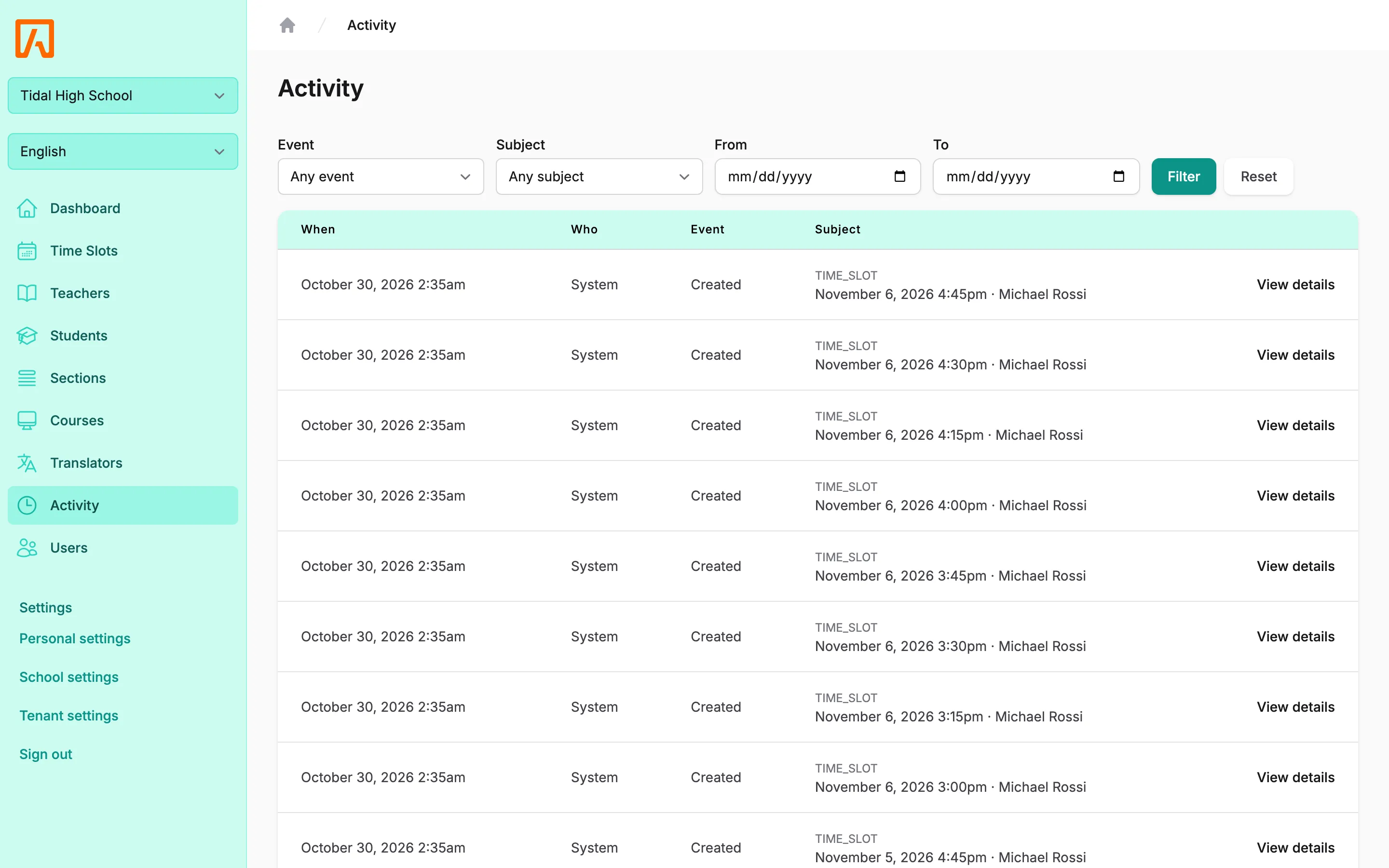
- Narrow the list with the filters, then select Filter:
- Event: one event type, or Any event.
- Subject: one type of record, such as time slots or users, or Any subject.
- From and To: a date range. To includes the whole day.
- Select View details on a row to see the changed values and any extra details recorded with the entry.
- Select Reset to clear the filters.
The Who column shows the user who made the change. Entries with no user, such as changes made by scheduled tasks or background jobs, show System.
Events
Section titled “Events”| Event | Shown as | Recorded when |
|---|---|---|
created |
Created | A time slot, translator, school or tenant record is created. |
updated |
Updated | One of those records changes. For time slots, only changes to the teacher, times, location, meeting URL, online settings, notes, and booking or translator options are logged. |
deleted |
Deleted | One of those records is deleted. |
reservation_booked |
Conference booked | A conference is booked, by a family or by staff. |
reservation_rescheduled |
Conference rescheduled | A booking is moved to another time slot. |
reservation_cancelled |
Conference cancelled | A booking is cancelled, including when staff delete a reserved time slot. |
batch_created |
Time slots created for N teachers | Staff create time slots for a batch of teachers. |
batch_updated |
Batch time slots updated | Staff edit a time across a batch. |
smtp_updated |
SMTP settings updated | Someone saves the SMTP settings. SMTP and SIS credentials are never written to the log. |
notification_sent |
(notification) email sent | A booking notification or reminder email is sent. |
translator_assigned |
Translator (name) assigned | A translator is assigned to a conference. |
translator_unassigned |
Translator (name) unassigned | A translator is removed from a conference. |
The Event filter lists events by key with spaces instead of underscores (for example “reservation booked”), and only includes events that have been recorded at the school.
History for one time slot
Section titled “History for one time slot”You can also see the history of a single time slot without opening the log. When editing a time slot, expand History at the bottom of the Edit time slot window. It shows the 20 most recent entries for that slot. See Time slots and batches.
Retention
Section titled “Retention”Entries older than 365 days are deleted automatically by a daily scheduled task. See Scheduled tasks.